
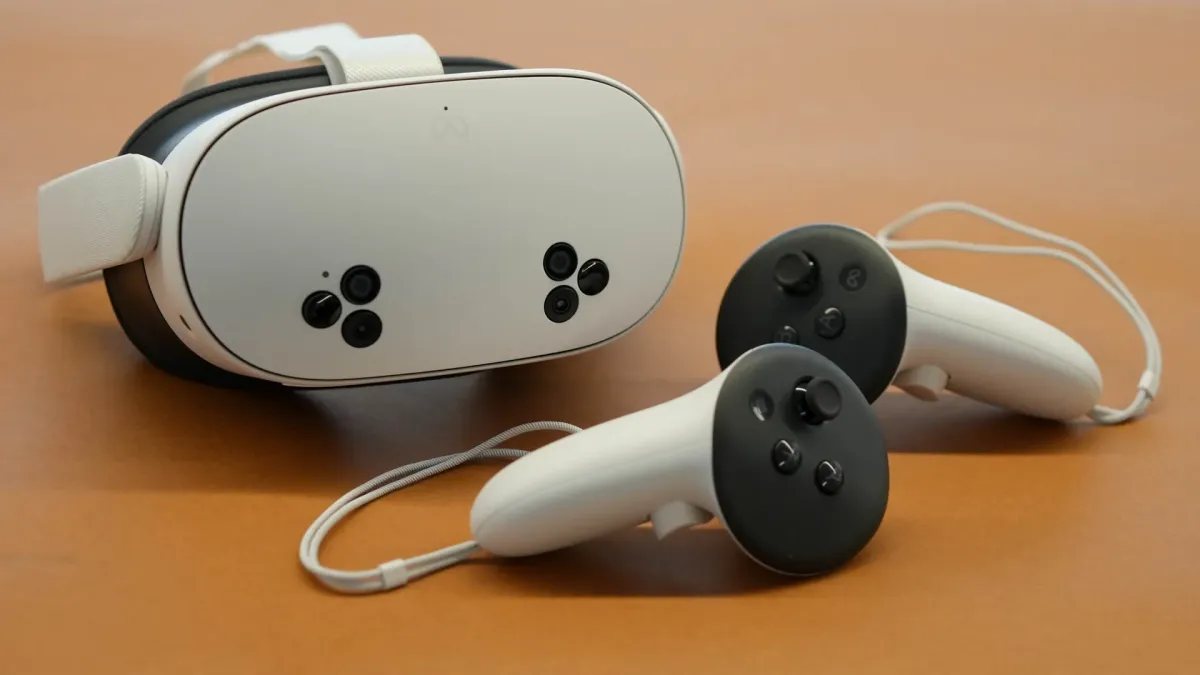
Turn your Meta Quest 3S into a hyper-realistic 8K VR porn powerhouse with DeepInSex. This complete 2026 guide covers everything from Wi-Fi 6E setup to DeoVR pro settings, 120Hz refresh, zero-lag streaming, and the top DeepInSex scenes optimized for Quest 3S.
📋 Table of Contents
Why Quest 3S + DeepInSex 8K is the 2026 Gold Standard
The Meta Quest 3S delivers the same Snapdragon XR2 Gen 2 power and pancake lenses as the Quest 3 — at a budget-friendly price. Paired with DeepInSex’s native 8K VR180 60FPS videos (no upscaling), you get crystal-clear textures, lifelike depth, and spatial audio that makes every scene feel real.
In 2026, 8K at 60FPS is the sweet spot: stunning clarity without thermal throttling or battery drain.
Hardware Basics & Preparation
- Storage: 512GB model recommended — 8K files are 8–20 GB each.
- Comfort: Use the Elite Strap or a third-party head strap for long sessions.
- Battery: Keep your Quest 3S charged to 80%+ before long sessions.
- Router: Wi-Fi 6E or Wi-Fi 7 router on the 6 GHz band (lowest latency).
Step-by-Step Setup Guide
- Update Firmware
Settings → System → Software Update → Install latest version. - Enable 120Hz Refresh Rate
Settings → System → Display → Turn on “120Hz Refresh Rate”. - Install DeoVR (Best Free Player 2026)
Open Meta Quest Store → Search “DeoVR” → Install (free). It supports native 8K streaming and local playback. - Connect to DeepInSex
In DeoVR, open the built-in browser → Go to deepinsex.com → Log in → Play any 8K scene directly in VR mode. - Alternative: Download for Offline
On desktop → Download highest bitrate 8K file → Transfer via USB-C to Quest 3S “Movies” folder → Open in DeoVR.
Pro Settings for Maximum Immersion with DeepInSex
In DeoVR / Browser
- ✅ Resolution: 8K (7680×3840)
- ✅ Bitrate: Highest available (HEVC/AV1)
- ✅ Refresh: 120Hz
- ✅ Passthrough: On for mixed-reality fun
Network Settings
- ✅ 200+ Mbps fiber connection
- ✅ Router in same room, 6 GHz band
- ✅ No VPN (adds latency)
Troubleshooting Common Issues
Buffering / Lag?
Switch to 6 GHz Wi-Fi, move router closer, or download the file instead of streaming.
Blurry faces / edges?
Adjust IPD slider, clean lenses, ensure proper headset fit, and use 120Hz.
Overheating?
Take 5-minute breaks, keep room cool, and avoid 100% brightness.
Enhancing Your Experience
Pair with haptic sex toys, dim lights, and use DeepInSex’s “Jizz Quest 3S” scenes for next-level realism.
Top 5 DeepInSex Scenes Optimized for Quest 3S (April 2026)




Ready for the most realistic VR sex of your life?
Join DeepInSex today for unlimited 8K VR180 downloads + streaming — optimized for your Quest 3S.
Get Unlimited Access Now →Cancel anytime • 8K updates every week • Quest 3S & Vision Pro native